
Generate Cinematic Video with FLUX 3
Explore text-to-video, image-to-video, and reference-guided generation with synchronized audio, keyframe control, and clips up to 20 seconds long.
 Flux 3 Video
Text-to-Video · Image-to-Video · Native Audio · Precise Control
What is FLUX 3?
FLUX 3 can generate clips up to 20 seconds long, with native audio, from text prompts, images, and reference videos.
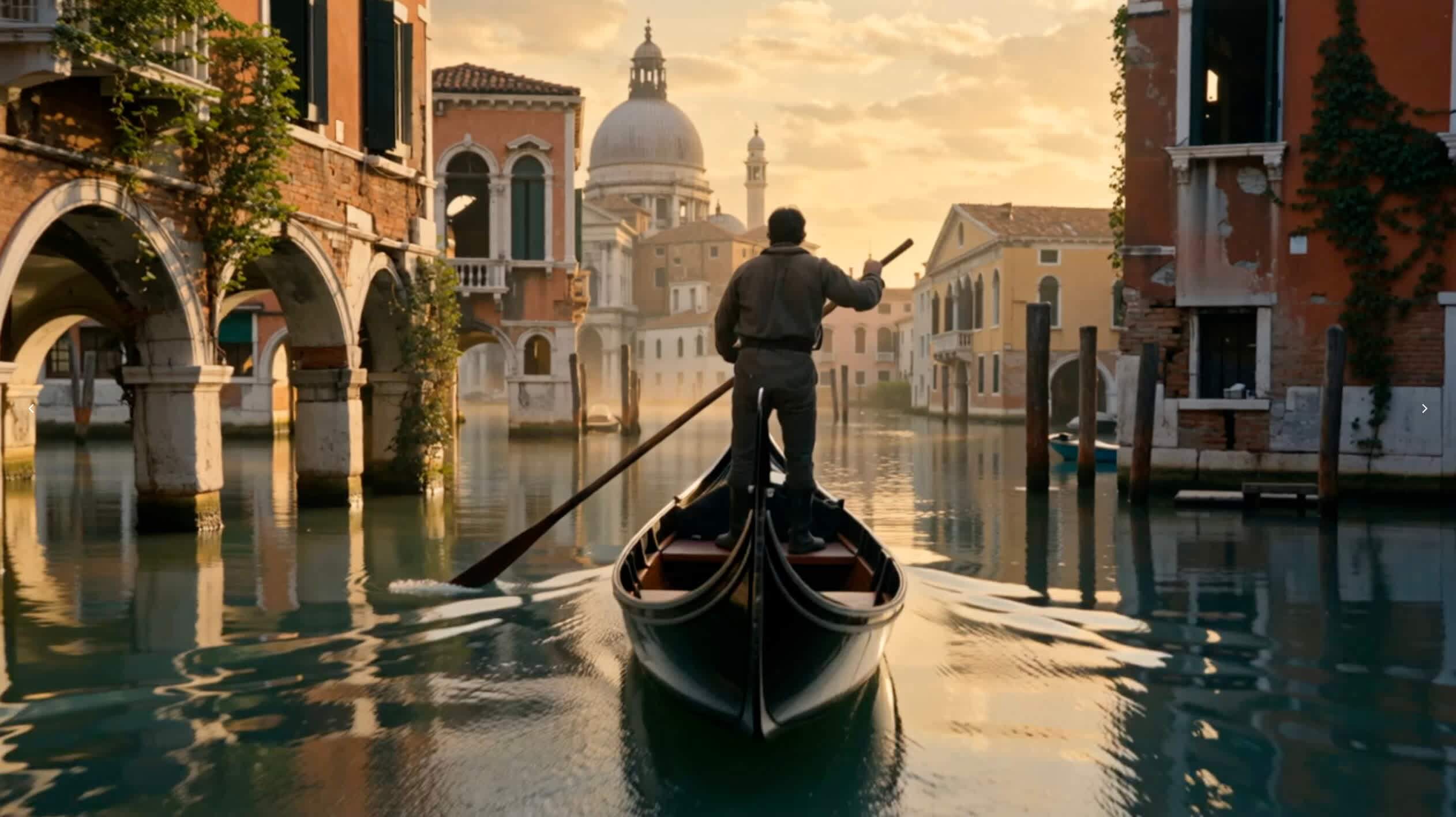
Official FLUX 3 Text-to-Video Showcase
Black Forest Labs has not released the original prompts; use the source link below each video to view the official showcase.
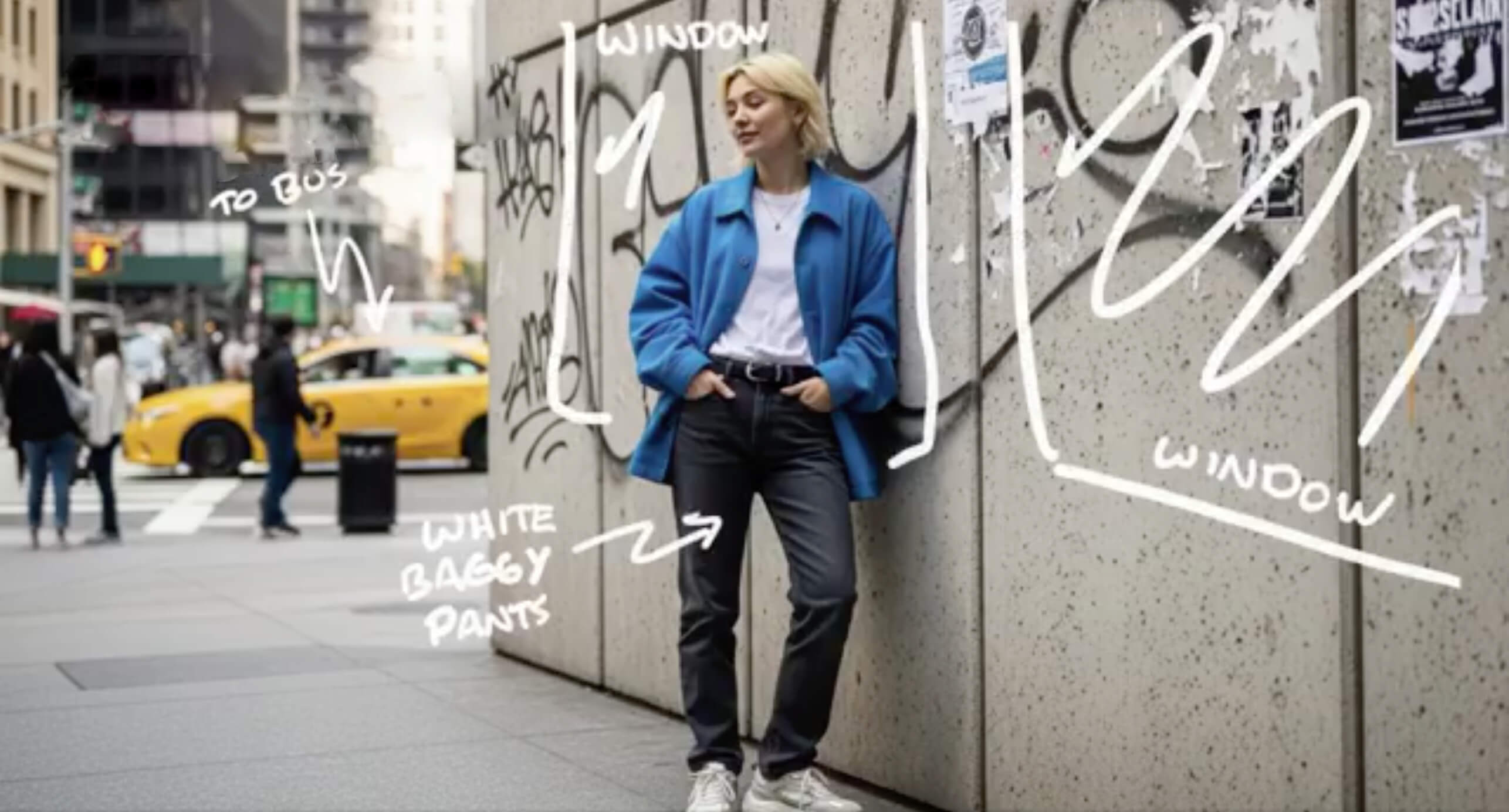
FLUX 3 Image-to-Video
The first item uses an official FLUX 3 showcase preview published by Black Forest Labs; its original input image and prompt have not been released. The remaining items illustrate image-to-video workflows and are not presented as FLUX 3 outputs.

FLUX 3 Capabilities
FLUX 3 is jointly trained on images, video, and audio within a unified multimodal architecture, supporting natively synchronized audio, visual references, video continuation, keyframe transitions, and multilingual dialogue.
Up to 20-Second Clips
FLUX 3 can create clips up to 20 seconds long in a single generation, with audio generated alongside the video.
Multimodal References
Guide generation with text, images, and reference videos for animation, transformation, and continuation workflows.
Video with Native Audio
Generate visuals and synchronized sound together, including dialogue, ambience, and effects.
Video Continuation
Continue from an input video and its audio, or carry central elements from a reference clip into a new context.
Keyframe Control
Define important visual moments and generate controlled transitions between them.
Multilingual Dialogue
Create scenes with multilingual dialogue across a broad range of visual styles.
What Can You Create with FLUX 3 Video?
FLUX 3 Video brings prompts, images, reference footage, motion, and sound into one multimodal creative workflow. This makes it useful for more than generating isolated AI clips. Creators can plan complete audiovisual scenes for storytelling, marketing, design, and pre-production while directing how a subject looks, moves, speaks, and changes over time.
Cinematic Concepts and Previsualization
Use FLUX 3 Video to explore a scene before committing to a full production. Describe the location, subject, action, framing, lens behavior, camera movement, lighting, pacing, dialogue, and ambience in one brief. Directors and creative teams can test visual ideas, compare approaches, and communicate a clear creative direction through storyboards, pitch films, and cinematic previsualization.
Product and Campaign Videos
Start with product images or other visual references to establish shape, materials, color, styling, and brand context. FLUX 3 Video can then place the main subject in a carefully controlled scene with motion and synchronized sound. This workflow can support product reveals, launch concepts, campaign treatments, e-commerce visuals, and early creative exploration for advertising teams.
Character-Driven Visual Stories
Reference-guided generation can help carry a character or central visual element from one scene into another. Combine that guidance with prompts for expression, action, environment, camera, and tone. FLUX 3 Video is designed for workflows where identity and story context matter across connected shots, including short narratives, branded characters, music video concepts, and episodic ideas.
Multilingual Dialogue and Social Content
Build scenes in which spoken dialogue, facial expression, ambience, and sound effects tied to physical events are considered together. The announced multilingual capabilities of FLUX 3 Video can support creative concepts for different audiences and markets. Vertical videos, short campaign ideas, dialogue-led posts, and localized variations can all begin from the same prompt-first audiovisual workflow.
Animation, Typography, and Visual Design
FLUX 3 Video is not limited to conventional cinematic realism. Its announced capabilities include broad style diversity, animated designs, and strong typography generation. Creators can explore stylized animation, graphic motion, title-driven sequences, candid footage, or polished cinematic treatments while using references and prompts to keep the visual language connected to the original brief.
Video Continuation and Multi-Shot Sequences
Continue from an input video and its audio, transform reference footage into a new context, or connect individual clips into a longer sequence. Visual references can help preserve central elements while each prompt changes the location, action, camera, or mood. This makes FLUX 3 Video useful for developing connected multi-shot stories instead of treating every generation as an unrelated clip.
Build a Strong Video Brief in Four Steps
Start with a clear scene, add the right references, direct motion and sound, then iterate on the result.
Describe the Scene
Write a prompt that explains the subject, setting, camera direction, motion, mood, and how the scene should begin and end.
Add Visual References
Prepare images or reference footage to guide the subject, character, environment, visual style, and motion. Source audio can also guide dialogue and continuation workflows when supported.
Direct Motion and Sound
Specify camera movement, action, pacing, dialogue, ambience, and effects so the scene has a clear audiovisual direction.
Generate and Refine
Generate the scene, review motion and sound, then refine one creative variable at a time.
FLUX 3 Video FAQ
Answers about FLUX 3 capabilities, multimodal references, and generation workflows.
What is FLUX 3?
FLUX 3 is Black Forest Labs' multimodal foundation model for image, video, audio, and action prediction.
What video capabilities has Black Forest Labs announced?
FLUX 3's announced capabilities include text-to-video, image-to-video, video-to-video, video and audio continuation, keyframe transitions, native audio, and multilingual dialogue.
How long can FLUX 3 videos be?
Black Forest Labs says FLUX 3 can create videos with audio up to 20 seconds in a single generation.
Does FLUX 3 Video generate native audio?
Yes. FLUX 3 Video generates video and audio jointly within its multimodal architecture. Announced capabilities include synchronized dialogue, ambience, sound effects tied to physical events, and multilingual dialogue, allowing creators to plan the visuals and sound together in one scene.
Can FLUX 3 Video create longer multi-shot stories?
A single FLUX 3 Video generation can produce a clip up to 20 seconds long. Black Forest Labs also describes agentic chaining of individual clips into longer multi-shot sequences. Visual references can help maintain a character or central element while new prompts specify locations, actions, camera choices, and story beats.
How do I get better preview results?
Describe the subject, action, setting, camera, lighting, pacing, and sound. Add a relevant image when visual consistency matters.
Explore FLUX 3 Video Workflows
Explore FLUX 3 workflows for text-to-video, image-to-video, reference-guided generation, and native audio.